Making Assumptions

Photo by adanvdo on Pexels.com

Last week in one of my online ESL classes we read an essay together on bluegrass music. As I do with most essays, I shared some interesting photos and a fun short video before we read in order to grab the students’ attention and make them more eager to read aloud with me.

For this topic, I chose a video of Bill Monroe, the father of bluegrass music, performing his famous song “Uncle Pen”. While I absolutely love his music, I wasn’t sure how my students would respond. When I was growing up, many people looked down on country and bluegrass music. Since they live very far away, I expected my students to find the music very strange and likely do the same.

I was so wrong! While the video was playing, they were absolutely mesmerized. One girl even had to stand up and dance. (It is a difficult song to listen to and stay still.) After the song ends, I always give my students time to share their thoughts, opinions, and questions.

When I gave them this opportunity, every one of them absolutely loved the song. One student, a budding violinist, pondered whether he had played something similar. The young lady who was dancing had to hum part of the tune aloud and dance some more. Even the co-host had to chime in with a message in the chat box about what beautiful music it was.

We went on to read the essay, and I finished the class by asking them if they were to come visit me here in Florida, would they want to attend a bluegrass festival. The answer was a resounding yes.

These students live in Singapore and China, miles and miles away from me in Florida. I was very pleasantly surprised at how much they loved the music. And reminded once again not to make assumptions about other people. ๐Ÿ™‚

Finally, in case you’re interested, you can check out the video we watch below:

New Workspace Who Dis?

Yesterday we had our roof replaced, so we stayed overnight in a nearby rental. At first it was fun being somewhere new. But as the day went on and I tried to work, it quickly became frustrating.

While I’d brought my laptop, charger, tablet, and even my lap desk with me, nothing felt right. The only workspace was in my daughter’s room, and she needed to complete her own homework before going to her job.

This left the dining room table, which was glass, small, and square. Cute for a romantic meal for two, but not too comfortable for typing on a laptop. My elbows were the wrong height, and I was worried about scratching the glass.

This left the couch or bed. The couch was comfortable but had no ottoman, so I ended up sitting with my computer on my lap and my feet flat on the floor. That just didn’t feel right, either.

So, I ended up on the bed with my computer on my lap desk. That worked fairly well, but there was no TV, so I couldn’t have my usual background noise. I pulled up my favorite game show channel on my tablet, but then couldn’t figure out where to put it. If I put it on the dresser, it was too far away to see. If I put it beside me on my husband’s pillows, I had to turn my head at a ninety-degree angle anytime I wanted to see something.

I ended up putting it on the bed beside me, using the built-in kickstand. That worked well, but I was afraid if one of our fur babies jumped on the bed, they might knock it off or scratch it.

As a result of all of this, I did a couple of tasks that were absolutely essential then gave up.

So why post about all of this? As a reminder of how important it is for both teachers and students to have a good workspace. My house is small, and I don’t have an extra bedroom I can use as an office, but I do quite well with a closet, a lap desk, and my trusty laptop. My bed is cozy and my TV is in just the right spot for background noise. My lap desk supports my wrists well and eliminates neck strain from hunching over.

When I teach a live class on Zoom, I move my incredibly supportive office chair from the desk in our dining room back to the bedroom and position it in front of the closet. Since my closet has become my mini office, I have bookshelves inside which makes a great background. I can then place my laptop on a lap desk which rests on the foot of my bed. I end up with a video that looks professional yet inviting for my students but is ergonomically correct for myself.

I didn’t get all of this figured out overnight; it’s been a process. So why spend so much time on it? So I can focus on my work and give my students my absolute best. And, even better, I can remind them of how important it is for them to have their own workspace and even help them figure out what will work best for them.

Nuts about Notebooks! :)

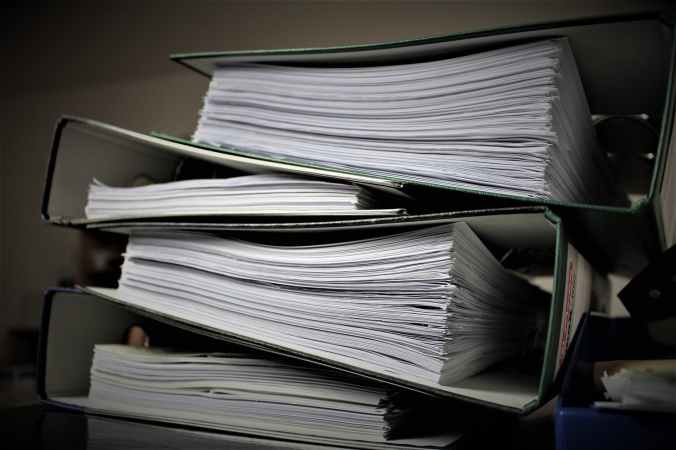
Whenever I begin a new project or start a new job, I always create an actual physical notebook. I print out all the emails, paperwork, presentations, and meeting notes. I then punch holes in them and put them in a nice binder.

The binder is divided with colored transparent plastic dividers, each labeled with a particular category such as E-mails or Meeting Notes. I then put a label down the spine of the binder, so I know exactly which project or job it is for.

So, in the world of the cloud, why do I still do this? Because I am a kinesthetic learner. I have found I learn best if I can hold printed materials in my hand. I like writing on them and highlighting important ideas. I know I can do that on my tablet or laptop, but it’s not as much fun as doing it all by hand.

By the time I have everything printed out, organized, read, and highlighted, I have a good handle on the project’s or job’s requirements. In addition, I’ve burnt up some of the nervous energy I always feel when I start something new and can now focus on the work I need to do instead of my anxiety.

Are you a notebook person? If not, how do you get organized for a new job or project? What helps you deal with that initial burst of anxiety that frequently accompanies a new project or job?

Every Continent Except Antarctica :)

When I began teaching at Future Envision, I realized I have now taught students on every continent except Antarctica. I’m proud of that, yet humbled. It utterly amazes me to think that I get to be a part of my students’ educational journeys in so many different countries.

When I first decided to be an English teacher back in high school, I had no idea that one day I’d be sitting in my office in Florida, instructing students in Africa, Asia, Europe, North America, and South America.

I’ll always remember one student I had onsite who was originally from the Philippines. He always had a willing smile and loved sharing his food with you. I didn’t realize how much we had in common, however, until I had the students compose an essay one night about their dream home. He wrote about a beautiful farm he one day hoped to have in the Philippines. As I read his description, he could have been describing my dream farm that I’ve always wanted here in Florida. We grew up oceans apart, yet we shared the same love of the land and desire to grow our own food.

Now that I’m teaching students from Singapore online, I find myself learning increasingly about their lovely country. But I was surprised by how much they enjoyed listening to me share stories of my Florida childhood in my southern accent. My rural childhood is vastly different from their decidedly urban ones, but we still share great love for our grandparents and a passion for learning.

The most unexpected question I’ve received from my students in SG is wanting to know how tall I am; when I told them I was 5’5″ tall (that’s 1.651 meters), they thought I was quite tall. Seeing each other on a Zoom screen makes it hard to see each other’s actual size. But our smiles seem to transmit quite accurately!

Microsoft Editor Vs. Grammarly

How did I not know about Microsoft Editor? I just recently learned Microsoft was now offering this addon for Chrome, so I decided to download it and try it out. If you’ve been following this blog, you know that I’ve been using Grammarly for over a year now and find it extremely helpful and easy to use.

Since most of my students use Microsoft Office, however, I wanted to try Editor. That way when they ask me which they should use, I can give them an informed answer.

Installing MS Editor was a bit annoying; I had to remember my Microsoft Account login, which is not something I use everyday. I’m very thankful for my Google Password Manager, so I don’t have to keep up with those, too.

Of course, to sign into my Microsoft account I had to use the authenticator app on my phone. That is annoying – just an extra step I don’t have time or patience for.

Installing was super easy, though. Inviting videos made me a little more eager to try the product. The process was quick and straightforward once I had logged into my Microsoft account.

Would it show up automatically on my Microsoft Word? To see, I opened a recent cover letter I’d written. Microsoft Editor and Grammarly both showed up in the banner menu. I clicked on Editor and very quickly received an Editor Report giving me corrections, refinements, and an editor score. Corrections were easy to see and make.

It wasn’t as colorful as the Grammarly report I receive, and the explanations for the suggested corrections were not as detailed or clear as those on Grammarly. But for me, it worked quickly and well.

So, which would I recommend to my students? If you are a beginning academic English writer, I’d suggest Grammarly. It’s much less intimidating, more approachable, and gives more detailed explanations for the suggestions made.

If you are an experienced academic English writer, however, I’d recommend Microsoft Editor. It’s faster and gets to the point more quickly. It feels remarkably similar to the editor built-in to Microsoft Word.

My only caveat would be to be sure you go in and select whether you want your information shared with Microsoft. While some reviewers had difficulty turning it off, Microsoft has since updated and repaired this issue and it worked great for me.

My Teaching Philosophy

As a teacher, I am not the โ€œsage on the stageโ€. Rather, I see myself as a facilitator, there to help my students discover how they learn best and use that knowledge to process the material they need from my course to be successful in college, in their careers, and in their lives.

     Learning should be joyful; my engaging and enthusiastic teaching style translates well to the online classroom and reaches students who may not have had the best classroom experiences.

     I genuinely enjoy getting to know my students.  I feel honored and humbled to be a part of their life-changing decision to obtain an education. 

     At a recent position I had a student who was always a few minutes late for my class.  After checking with her advisor, I found out she was homeless and living in a shelter.  Every day before class she had to ride the bus to work, work all day, ride the bus back to the shelter to grab her class materials, and then take the bus back to my class.

     While she was usually late due to the buses, she was always well-prepared and added tremendously to our discussions.  After class she went to the campus library and worked until the library closed.  She then caught the last bus back to the shelter, only to do the very same thing the next day. 

      A few weeks into my class she walked in one night on time, with a huge smile on her face.  When I greeted her, she shared that she had saved up enough money from her job to buy her first car.  I was so excited and happy for her! The entire class went out to the parking lot to see her new vehicle and congratulate her.

     She continued being a vital part of the class and received a well-earned โ€œAโ€ at the end.  But even better, she found an apartment and went on to finish her degree and obtain a better job.  Students like her are why I teach.